Setting up Portcullis
Every step you have to do yourself, one screen at a time. Real screenshots where they could be taken; screens from Windows and phones are drawn to match and labelled Illustration.
Install on a Mac
- Unzip it and drag Portcullis into Applications.
Double-click the zip you were sent, then drag
Portcullisinto the Applications folder in Finder. - Open it. macOS will refuse the first time.
Portcullis isn't from the App Store, so macOS stops it and offers to bin it. Choose Done, not Move to Bin.
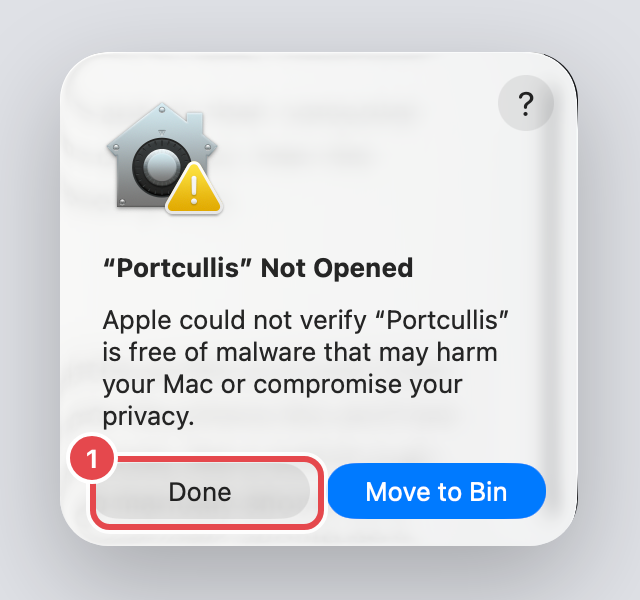
Choose Done. - Allow it in System Settings.
Open System Settings → Privacy & Security, scroll right to the bottom, and click Open Anyway. Confirm with your Mac password. You only do this once.
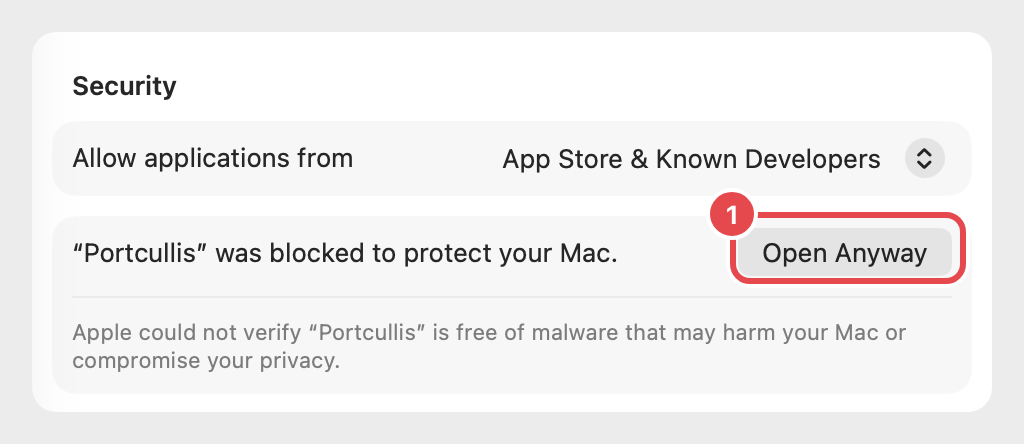
Bottom of Privacy & Security. - If asked, install the developer tools.
The panel runs on Python, which Apple ships as part of its free command line tools. If your Mac has never had them, this box appears. Click Install, wait a few minutes for it to finish, then open Portcullis again. Most Macs never see this.
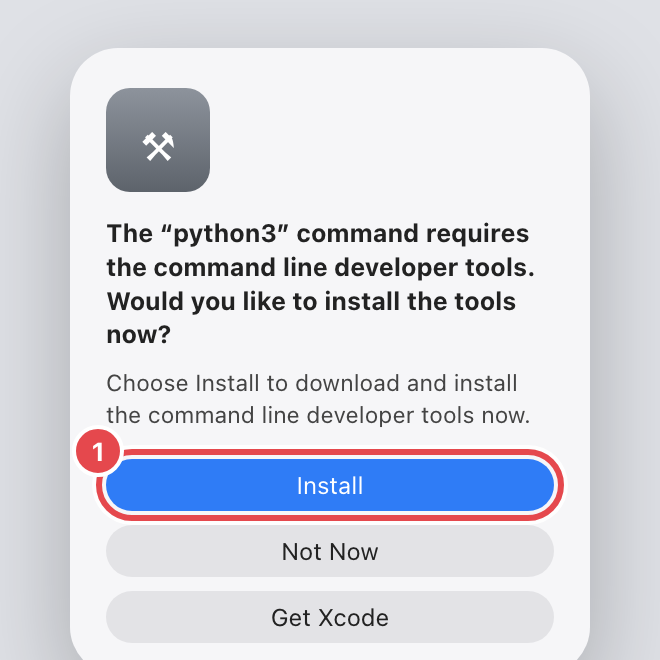
IllustrationClick Install. - Press Turn on, and enter your password.
The panel opens in your browser. Press Turn on. macOS asks for your password — the box says osascript, which is the part of macOS that Portcullis uses to ask.
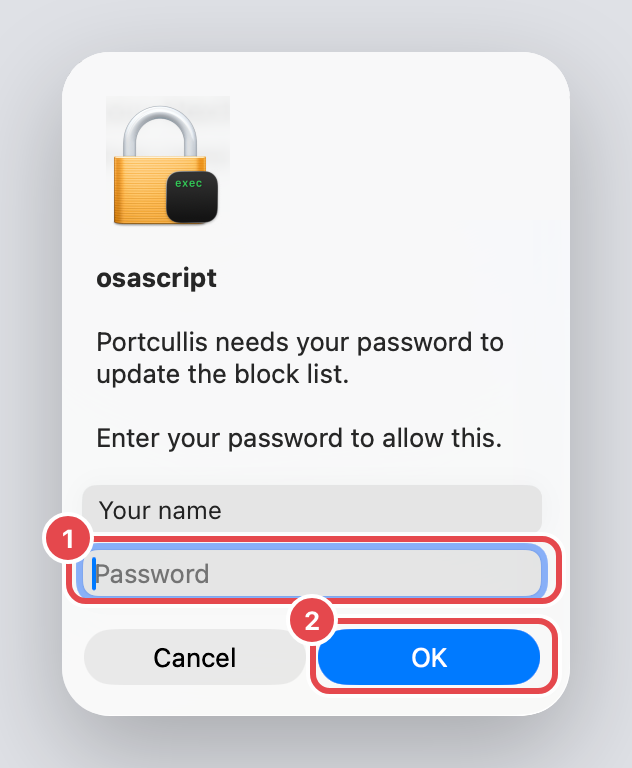
Type your Mac password, then OK. That's the block list and the watchdog on. Every browser and app on this Mac is now covered.
Lock Chrome (Mac)
Stops Chrome looking sites up its own way, which would skip the block, and blocks the biggest adult sites inside Chrome too. macOS won't let any app install this on its own — you approve it.
- In the panel, open Set up and press Install the Chrome lock.
macOS says the profile has downloaded. Click OK. (Without the panel: double-click
Portcullis.mobileconfig.)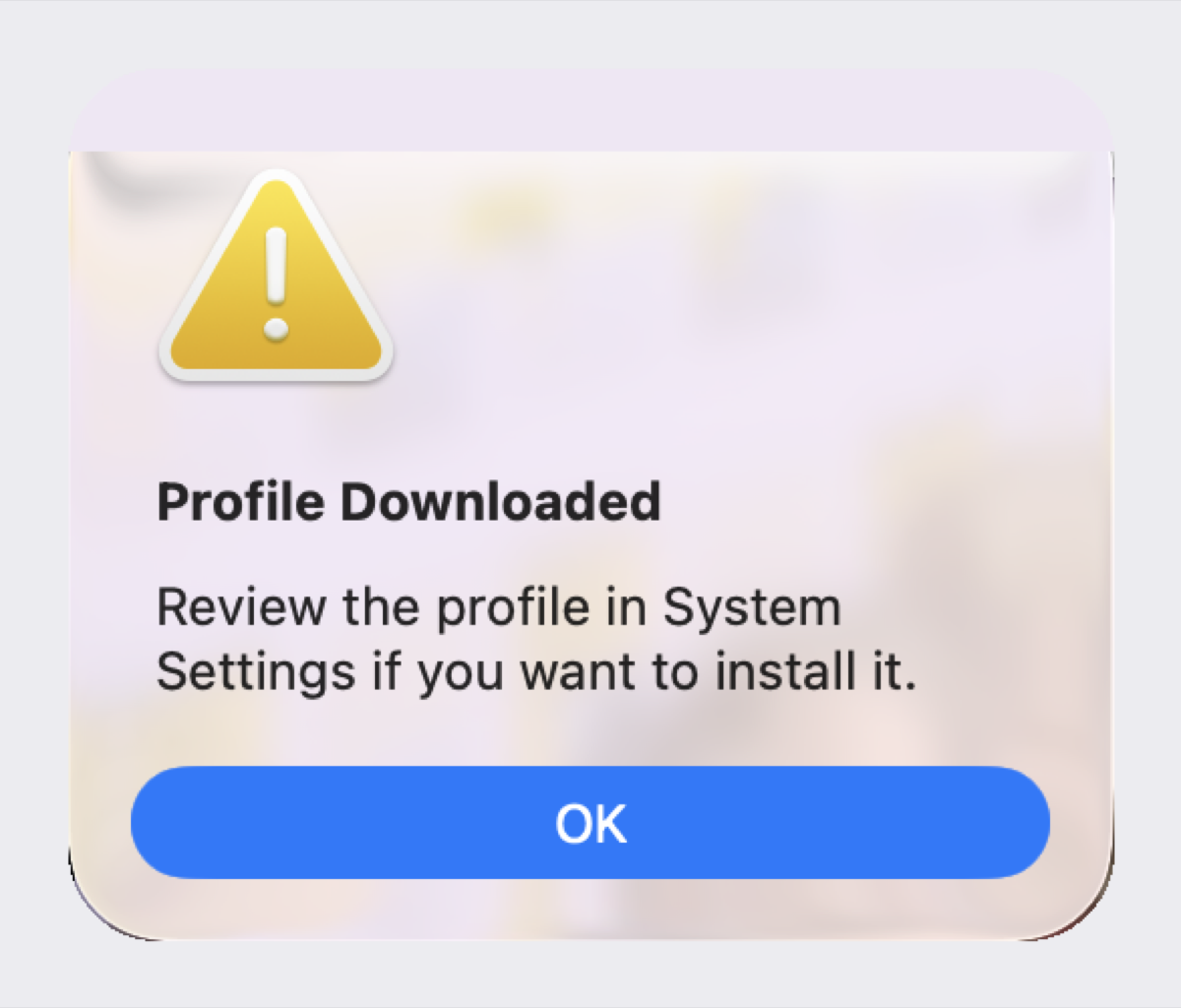
Click OK. - Find it in System Settings.
The panel opens System Settings → General → Device Management for you. Double-click Portcullis under Downloaded.
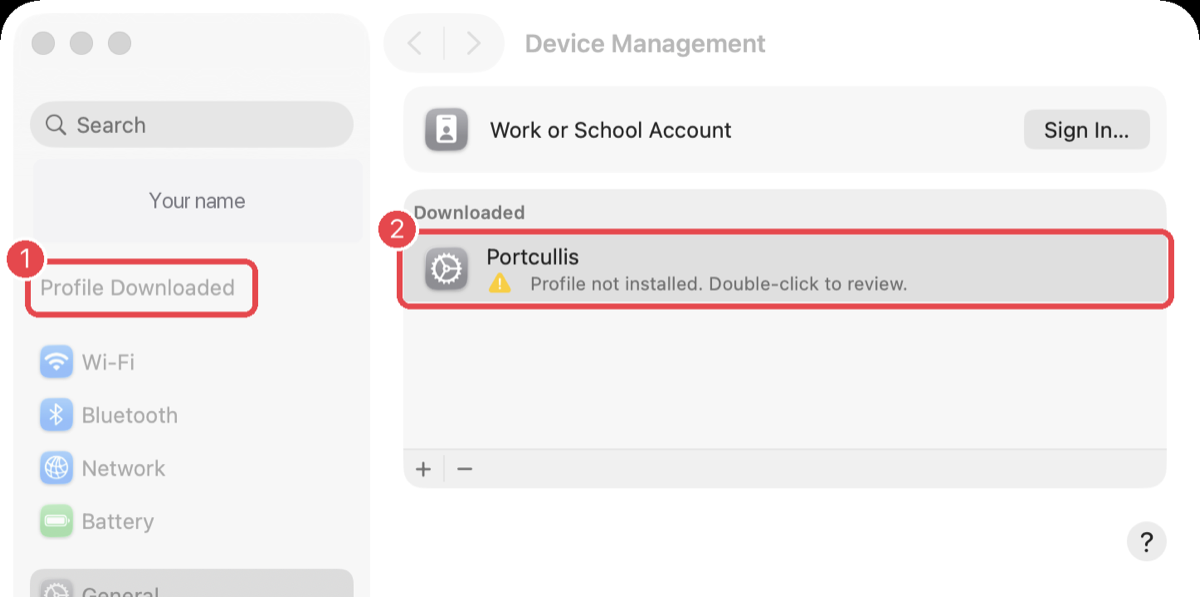
Double-click Portcullis. - Click Install…, then enter your password.
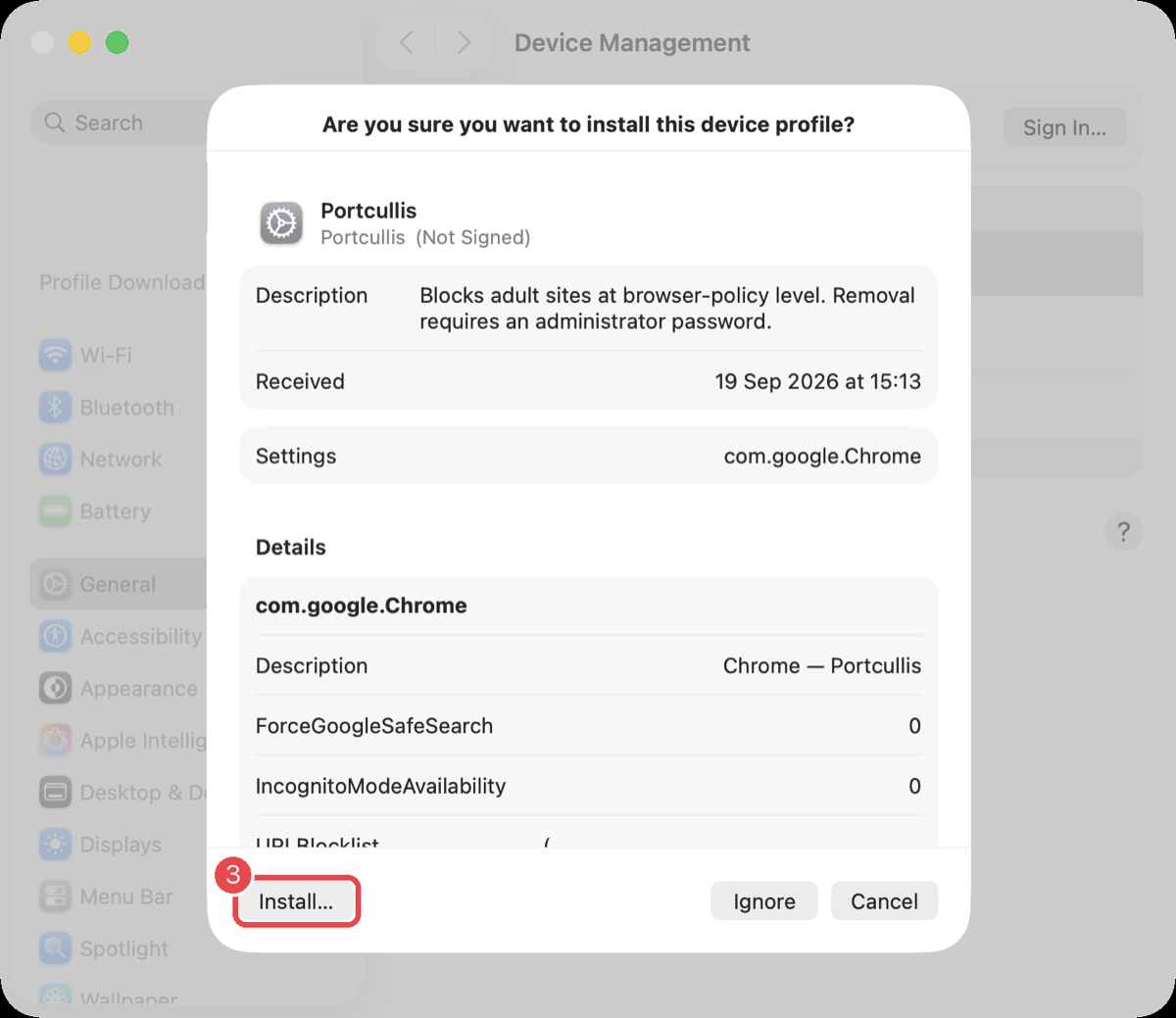
Install…, then Install again if asked, then your password. - Done when it's listed under Device.
The panel's Chrome lock light turns green within a few seconds. Quit Chrome fully (⌘Q) and reopen it.
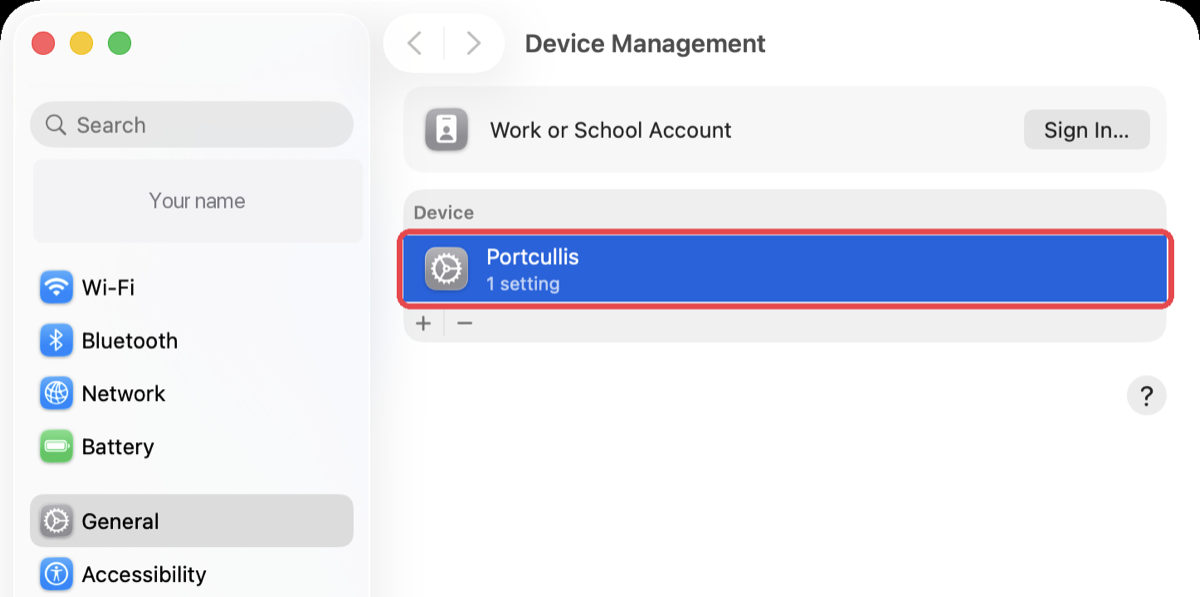
Installed. - Check it (optional).
In Chrome, go to
chrome://policy. Every row should say OK.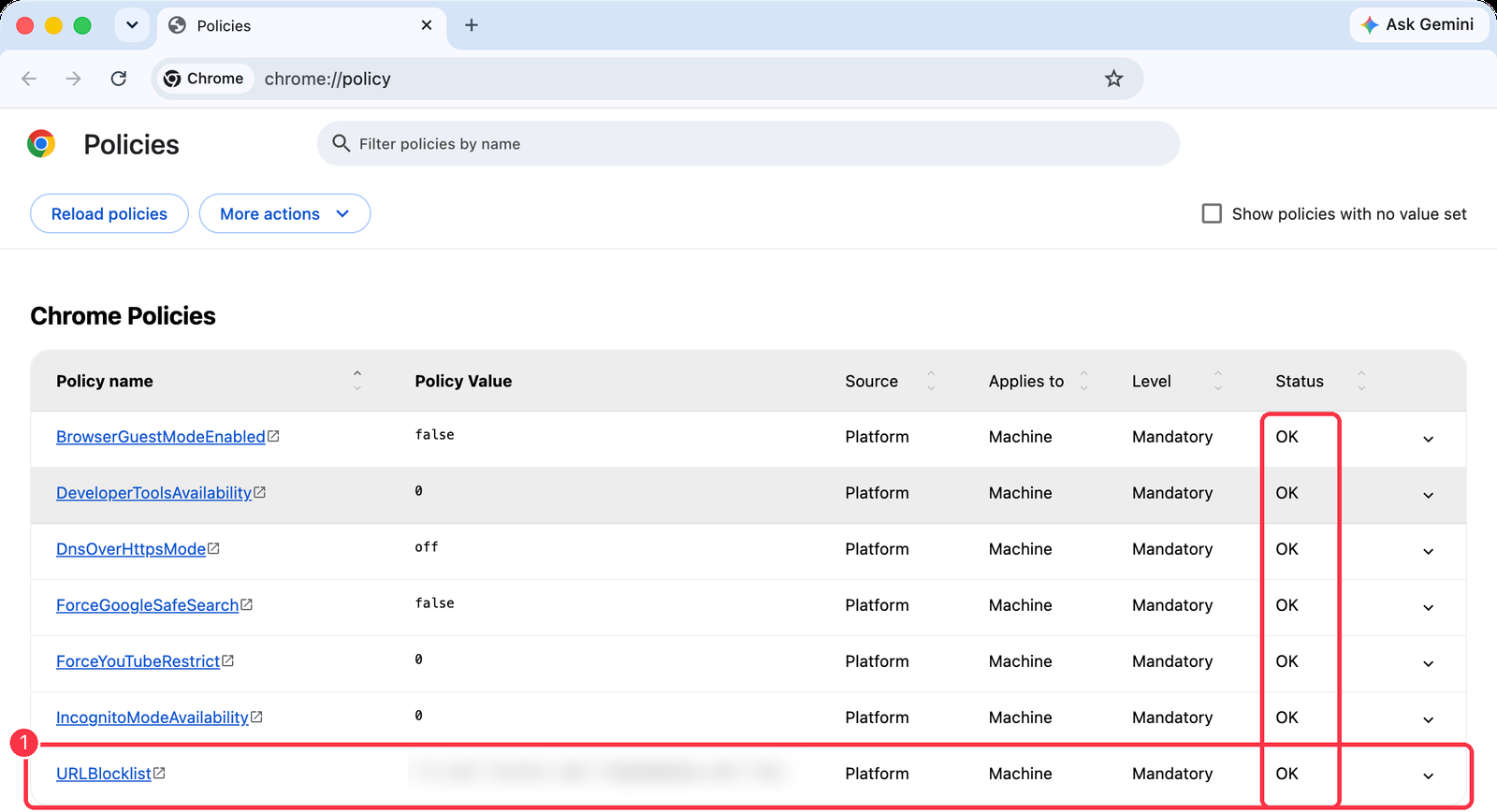
The block list value is blurred here; yours will show the sites.
Install on Windows
Not yet tested on a real Windows PC. If anything goes wrong, the removal steps below put everything back, and your hosts file is backed up first.
- Extract the zip somewhere permanent.
In File Explorer, open Downloads, right-click
Portcullis-Windows.zip→ Extract All… → Extract.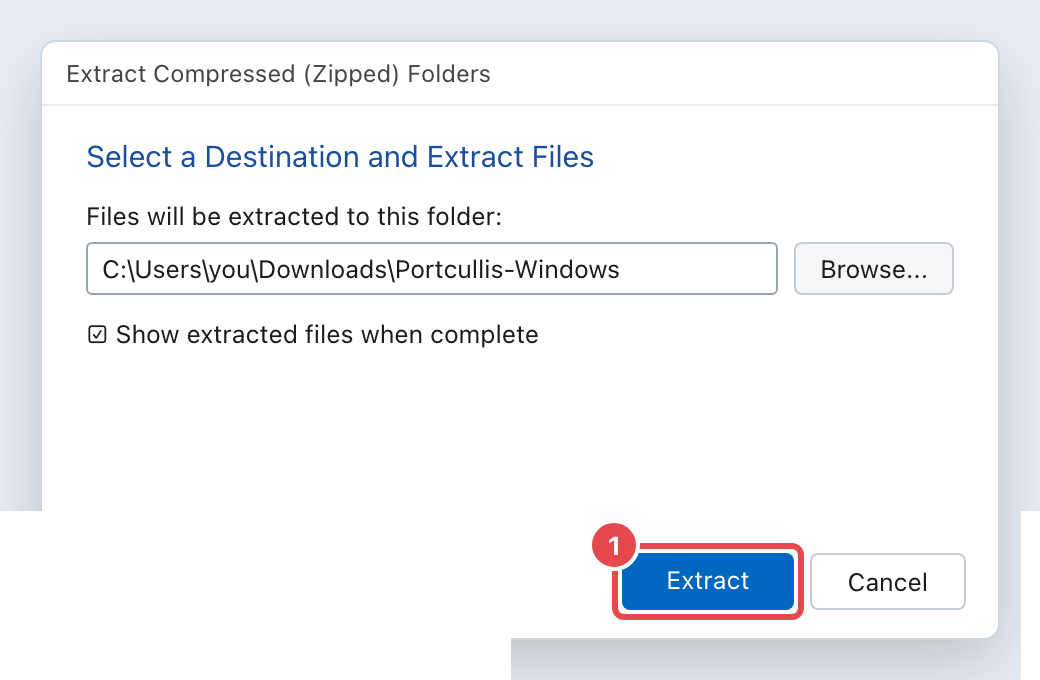
IllustrationLeave the folder as it is and click Extract. A new
Portcullis-Windowsfolder appears. Drag it onto Documents in the list on the left and keep it there — the panel runs from that folder. - Double-click
Portcullis.cmd. Windows will warn you.Windows shows this for anything not from a registered publisher. Click More info…
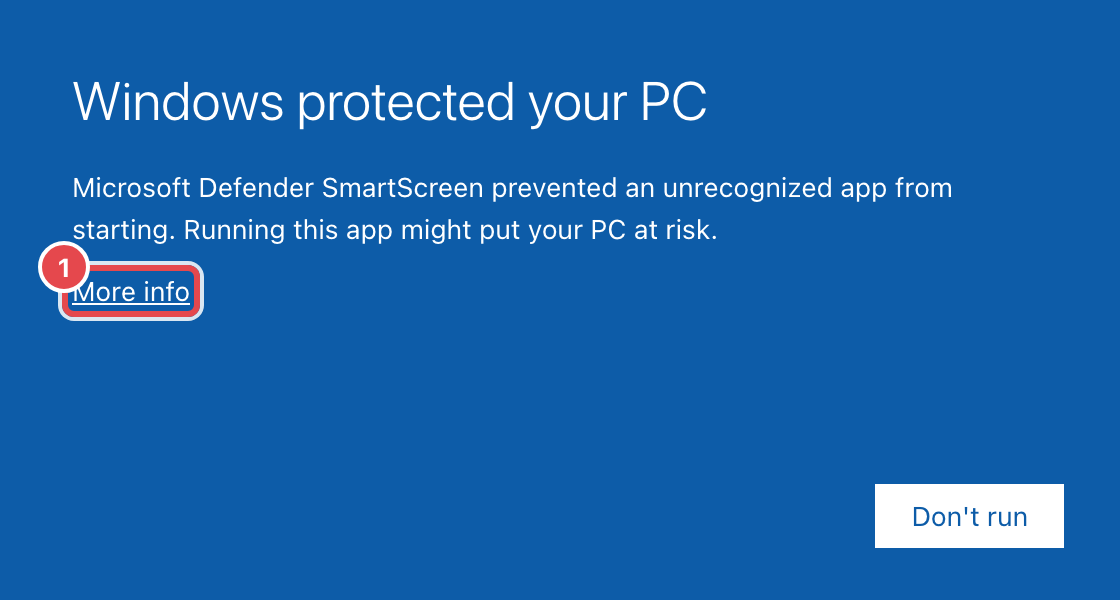
IllustrationClick More info. …then Run anyway.
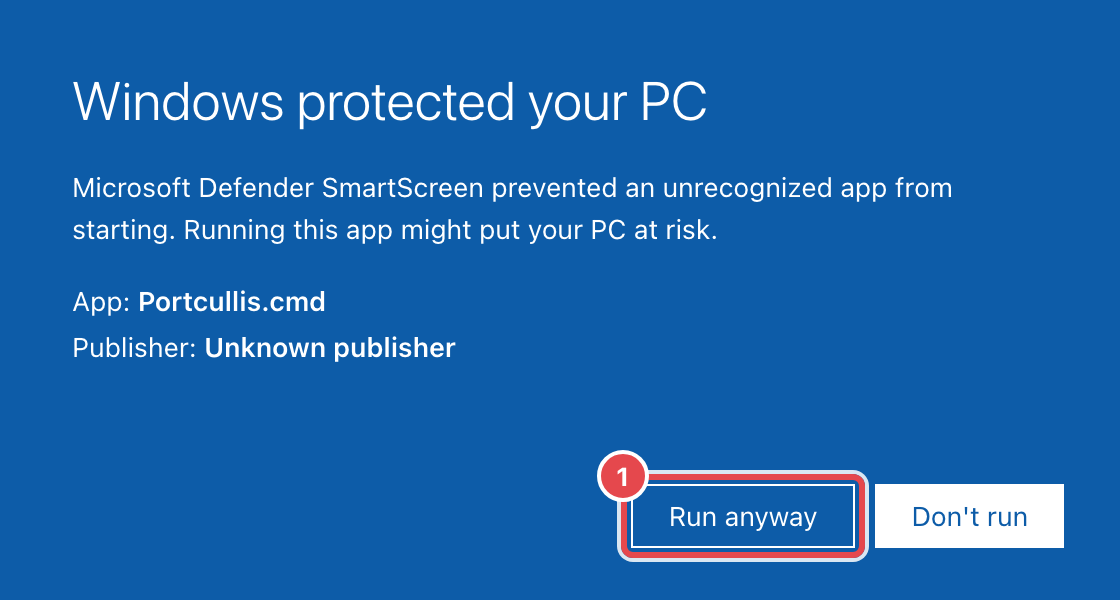
IllustrationClick Run anyway. - Press Turn on, and say Yes.
The panel opens in your browser. Press Turn on. Windows asks if PowerShell may make changes — that's Portcullis writing the block. Click Yes. If you don't see the box, it's flashing in the taskbar.
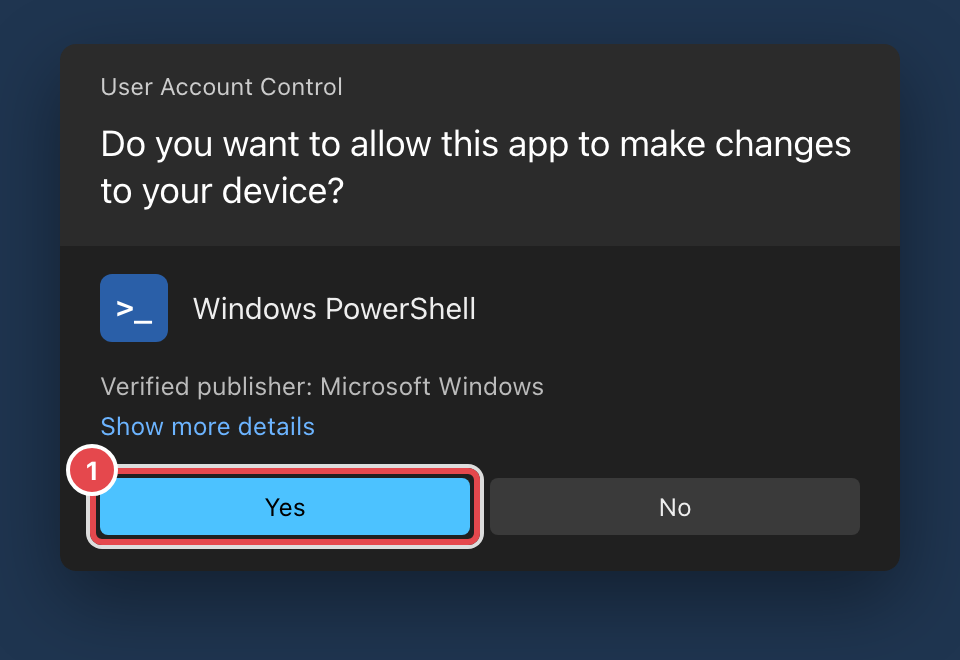
IllustrationClick Yes. That's everything on Windows: the block list, the watchdog, and the Chrome and Edge lock all go on together. Restart Chrome and Edge fully. They'll now say they're "managed by your organization" — that's Portcullis, and it's expected. To check, visitchrome://policyoredge://policy; every row should say OK.
Your phone
The computer app can't reach your phone. On a phone, the block comes from NextDNS, a free service that filters websites for every app, on Wi-Fi and mobile data. Free covers 300,000 lookups a month — plenty for one phone.
- Make a NextDNS account.
On any computer, go to nextdns.io and click Try it now, then sign up so your settings are saved.
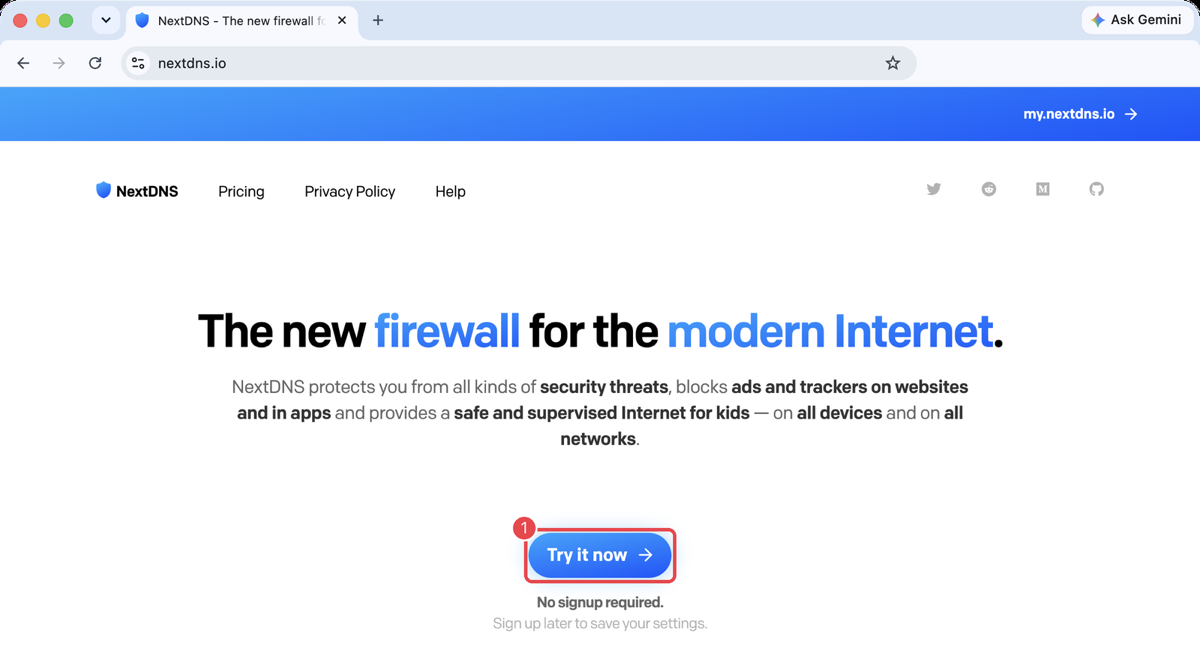
Try it now, then create an account. - Turn on the porn filter.
Open Parental Control. Under Categories, click Add a category and choose Porn. Add any sites or apps you want gone with Add a website, app or game — X is shown here as an example.
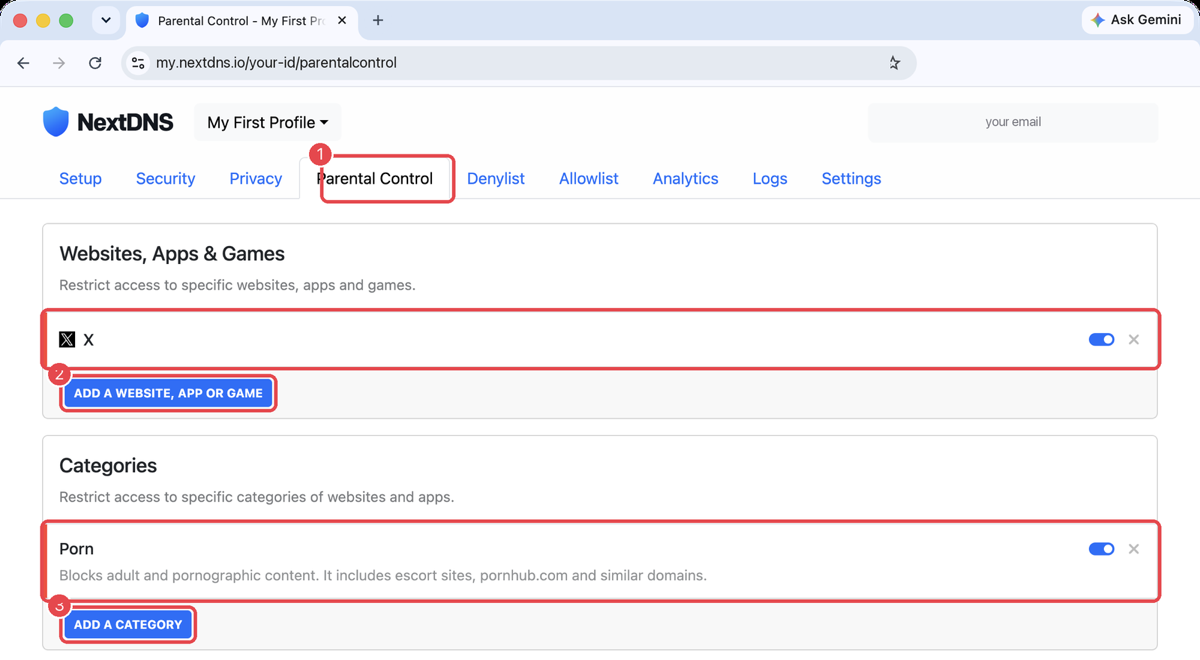
Parental Control → Categories → Porn. Not the Privacy tab — that's only ads and trackers. - Now follow the steps for your phone: Android or iPhone.
Android (Pixel, Samsung and others)
- Find your NextDNS address.
In NextDNS, open Setup, scroll to Setup Guide and choose Android. It shows the address to type in — it ends in
.dns.nextdns.ioand starts with your own ID.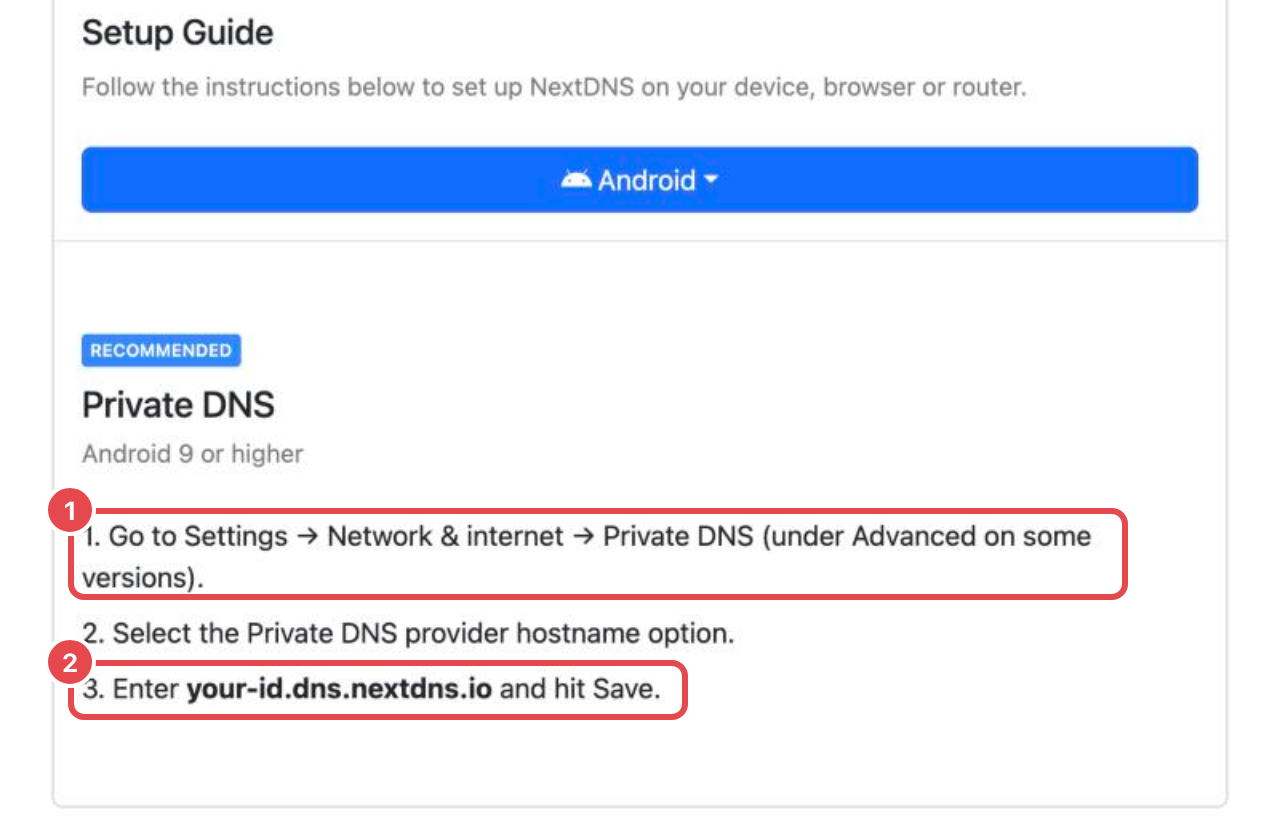
Your ID goes where it says your-id. - On the phone: Settings → Network & internet → Private DNS.
On some phones it's under Connections → More connection settings (Samsung) or Advanced. Searching Settings for "Private DNS" always finds it.
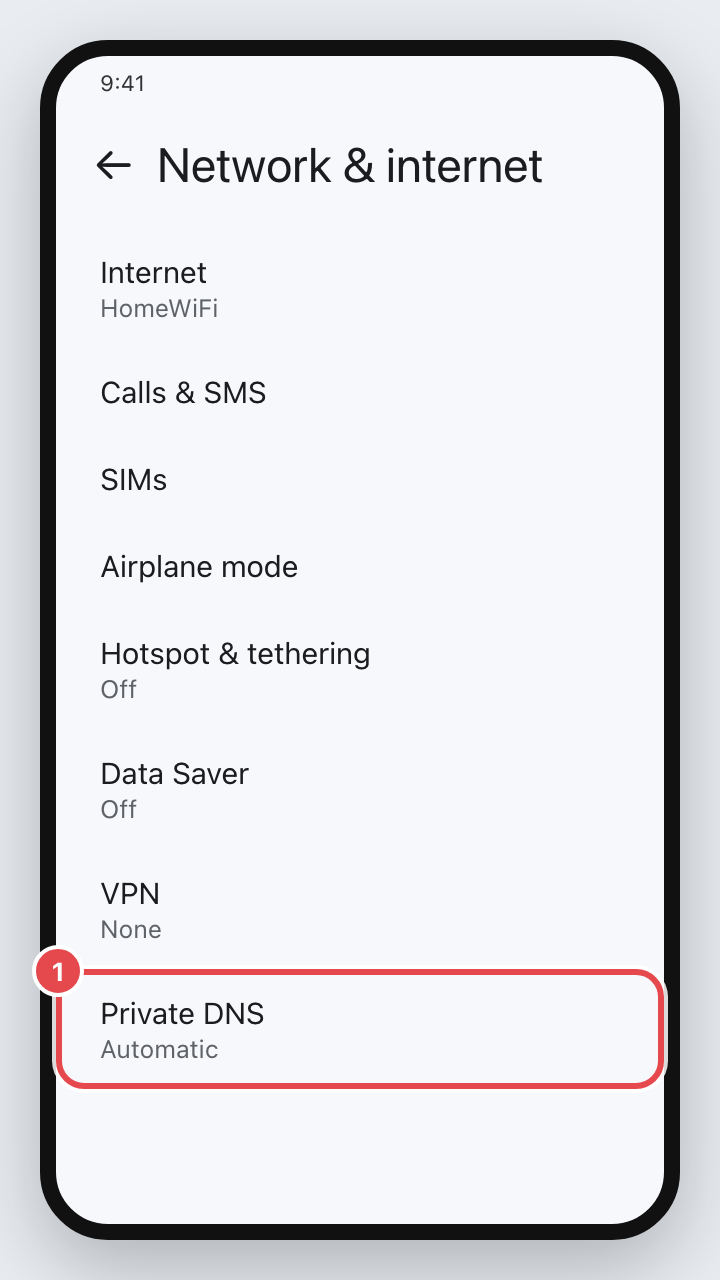
IllustrationTap Private DNS. - Choose the hostname option, type your address, Save.
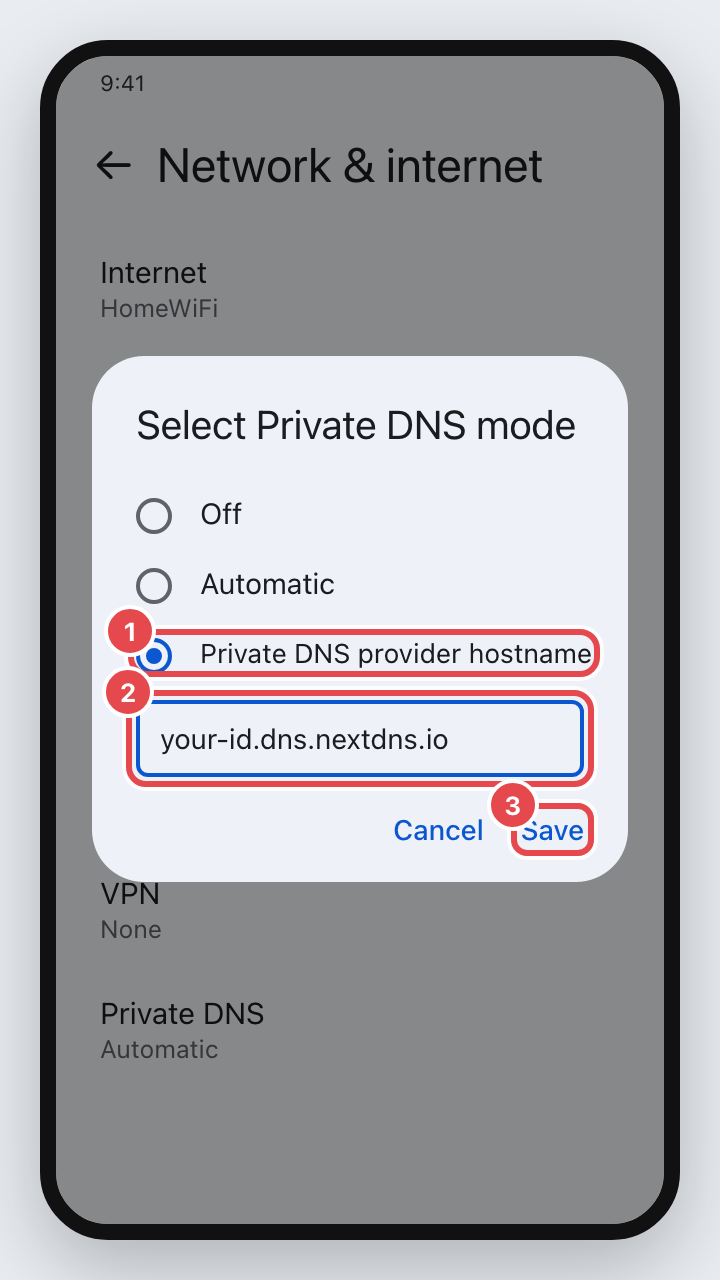
IllustrationPrivate DNS provider hostname → your address → Save. Back in NextDNS, the Setup page now says "This device is using NextDNS" when you open it on the phone. - Optional: make it harder to switch off.
Anyone can switch Private DNS back in Settings, so this is a speed bump, not a lock. For an extra hurdle, AppBlock (free, Play Store) can block other apps and websites, and its Strict Mode stops those blocks being changed — or AppBlock being uninstalled — until a time you choose. Give it the device-admin permission when it asks; that's the part that stops the uninstall. Its screens change between versions, so follow the app's own prompts.
iPhone
- On the iPhone, in Safari, go to apple.nextdns.io.
Pick your profile, give the phone a name, and tap Download. (Use Safari — other browsers can't install profiles.)
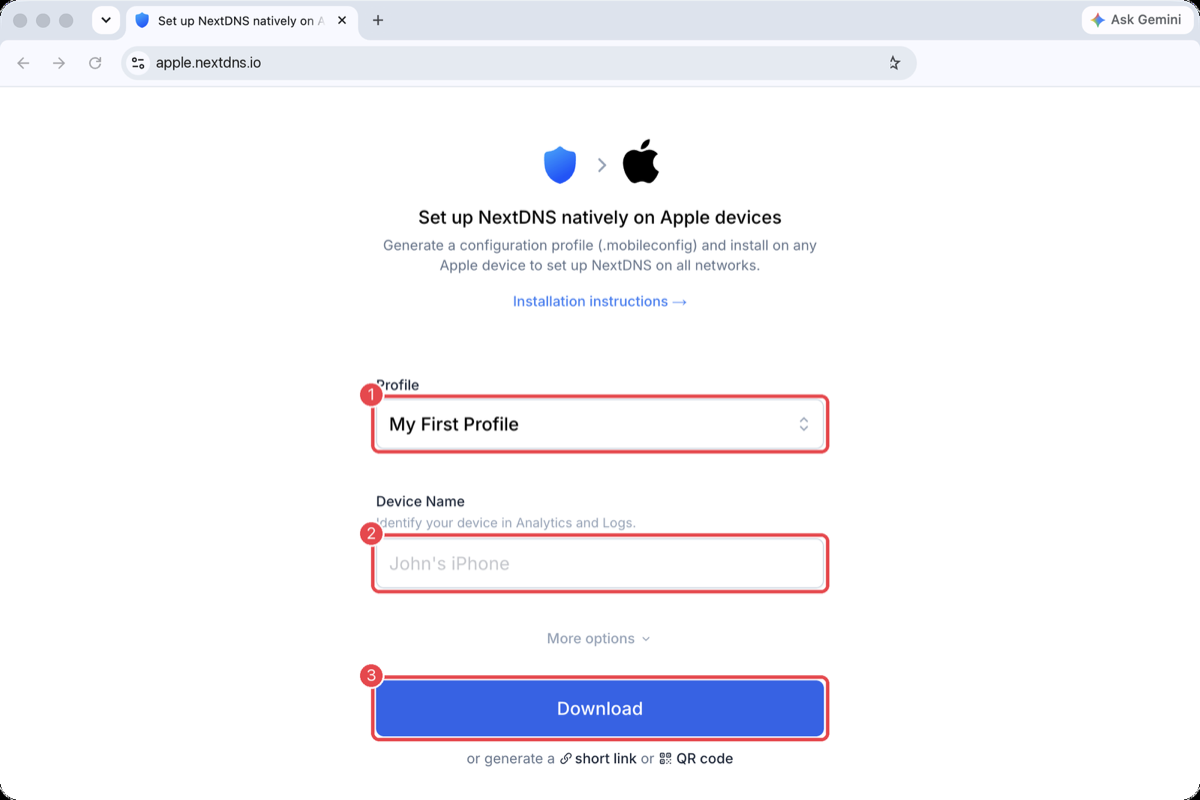
Shown on a computer; it looks the same on the phone. - Allow the download, then Close.
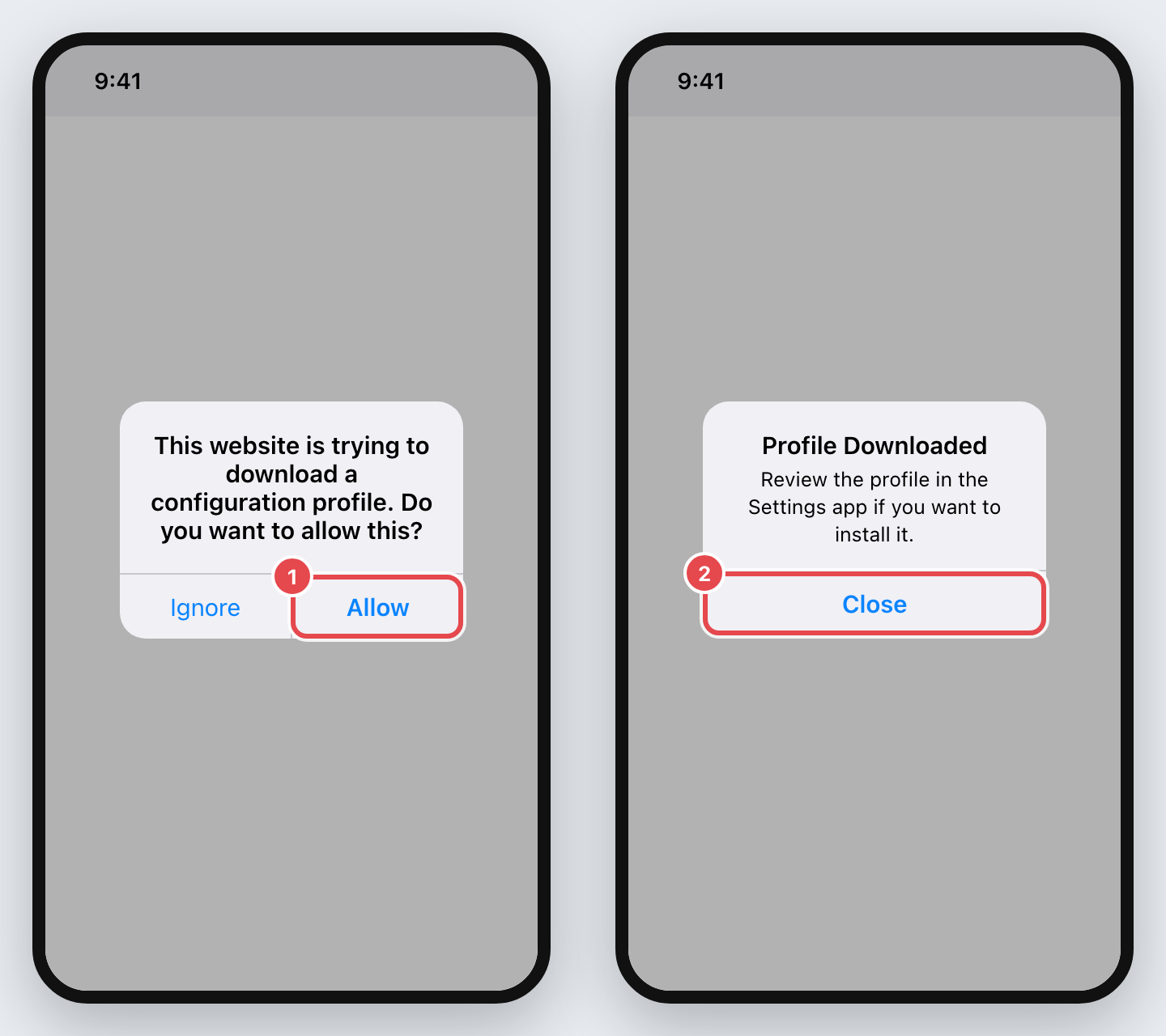
IllustrationAllow, then Close. - Open Settings and tap Profile Downloaded.
It's near the top, under your name. If it's not there, it's in General → VPN & Device Management.
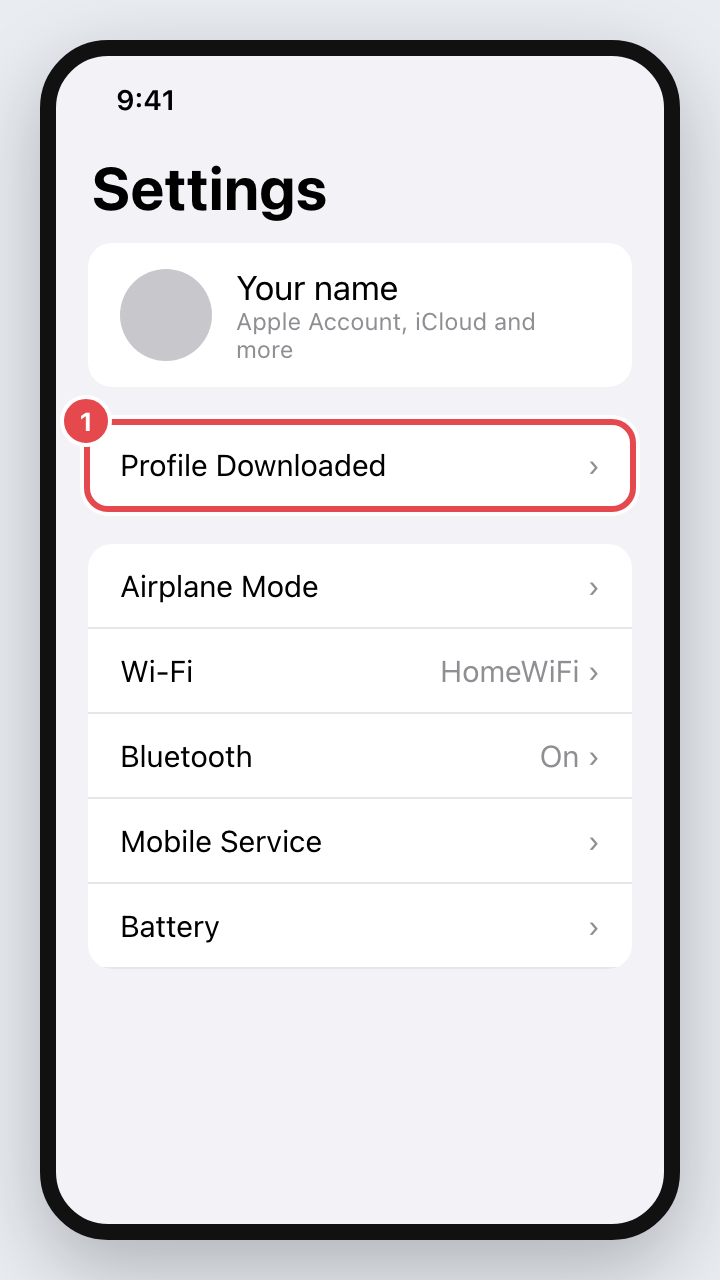
IllustrationTap Profile Downloaded. - Tap Install, enter your passcode, and Install again.
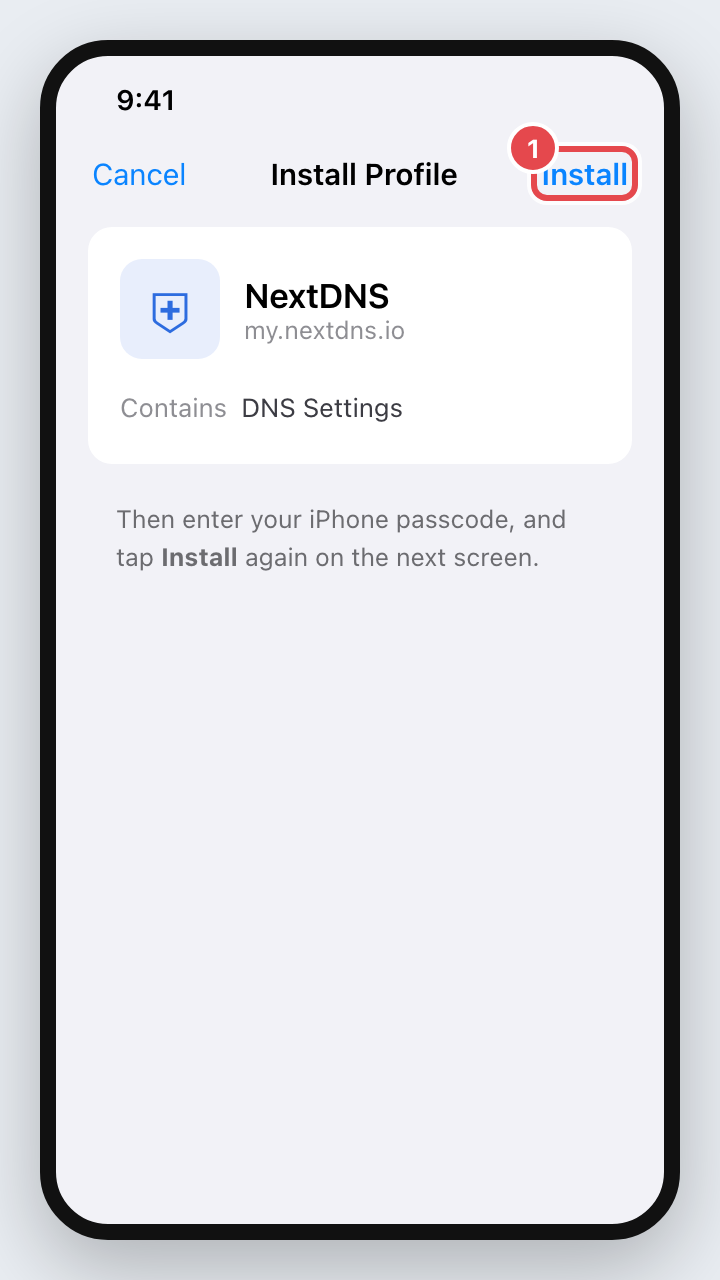
IllustrationInstall (top right). - Turn off iCloud Private Relay, if you have it.
Settings → your name → iCloud → Private Relay → off. Private Relay sends Safari's lookups around NextDNS. If you don't pay for iCloud+, you won't have it and can skip this.
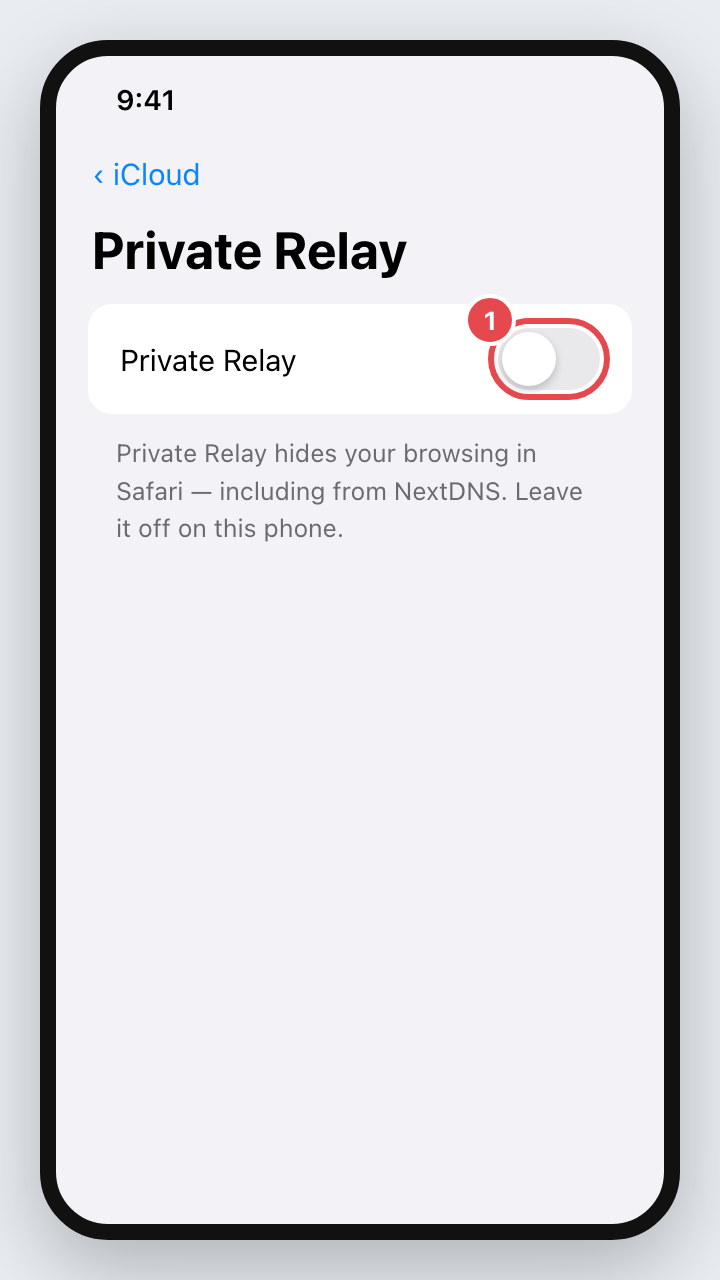
IllustrationOff. - Optional: make it harder to switch off.
On a personal iPhone, a profile can always be deleted from Settings — there's no switch that prevents it. Screen Time can add friction elsewhere: under Screen Time → Content & Privacy Restrictions you can limit adult websites in Safari, with a Screen Time passcode someone else keeps.
Removing it
Deliberately not a button, and deliberately slow: you ask once, wait 48 hours, then confirm. It's written down because a tool that hides its own exit isn't trustworthy. If one site is blocked by mistake, take just that site off in the panel instead.
Mac
- Open Terminal (Applications → Utilities) and paste:
sudo bash /Applications/Portcullis.app/Contents/Resources/mac/uninstall-hosts.shEnter your password (nothing shows while you type — that's normal).
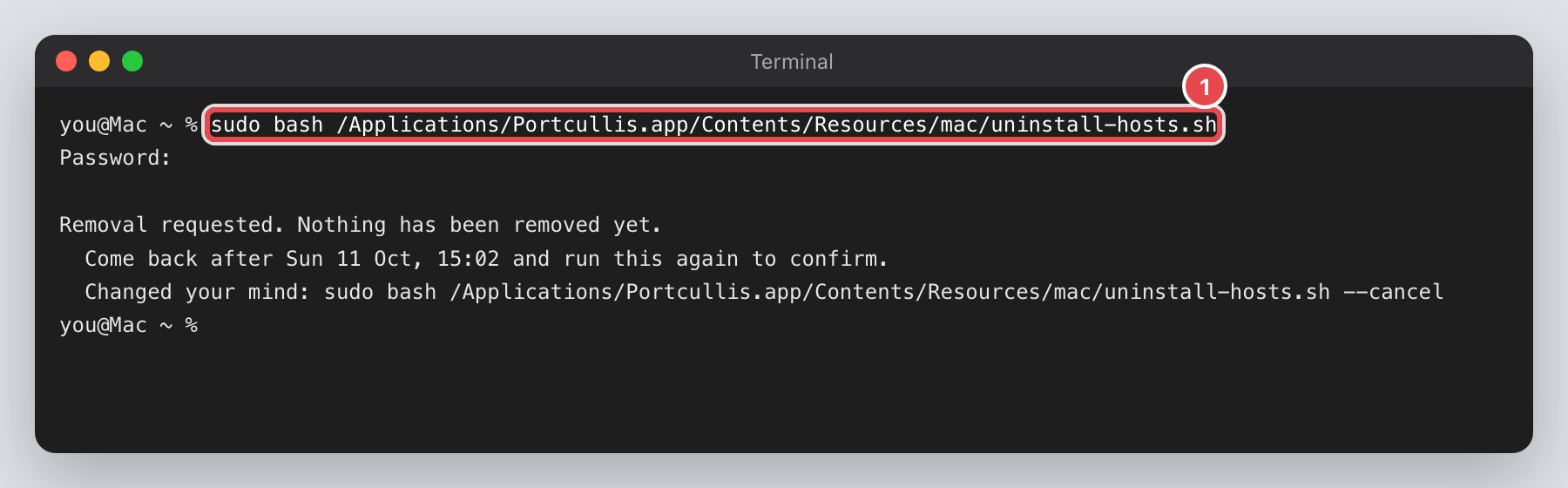
IllustrationThe first run only files the request. - 48 hours later, run the same line again. That removes the block and the watchdog. Changed your mind
before then? Add
--cancelto the end. - Remove the Chrome lock in System Settings → General → Device Management → Portcullis → −.
Windows
- Open PowerShell as administrator: right-click the Start button → Terminal (Admin) → Yes.
- Go to the Portcullis folder and run the remover:
cd $HOME\Documents\Portcullis-Windows
powershell -ExecutionPolicy Bypass -File .\app\windows\uninstall.ps1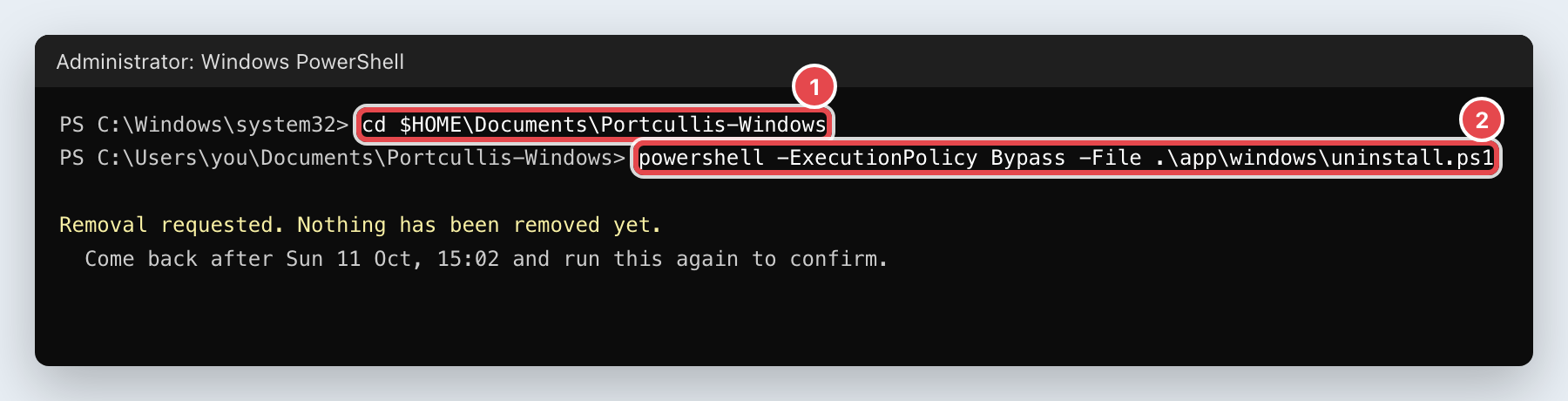
IllustrationThe first run only files the request. - 48 hours later, run the second line again. That removes the block, the watchdog and the Chrome and Edge
lock. Changed your mind? Add
-Cancelto the end.
Phone
Android: set Private DNS back to Automatic. iPhone: Settings → General → VPN & Device Management → NextDNS → Remove Profile.